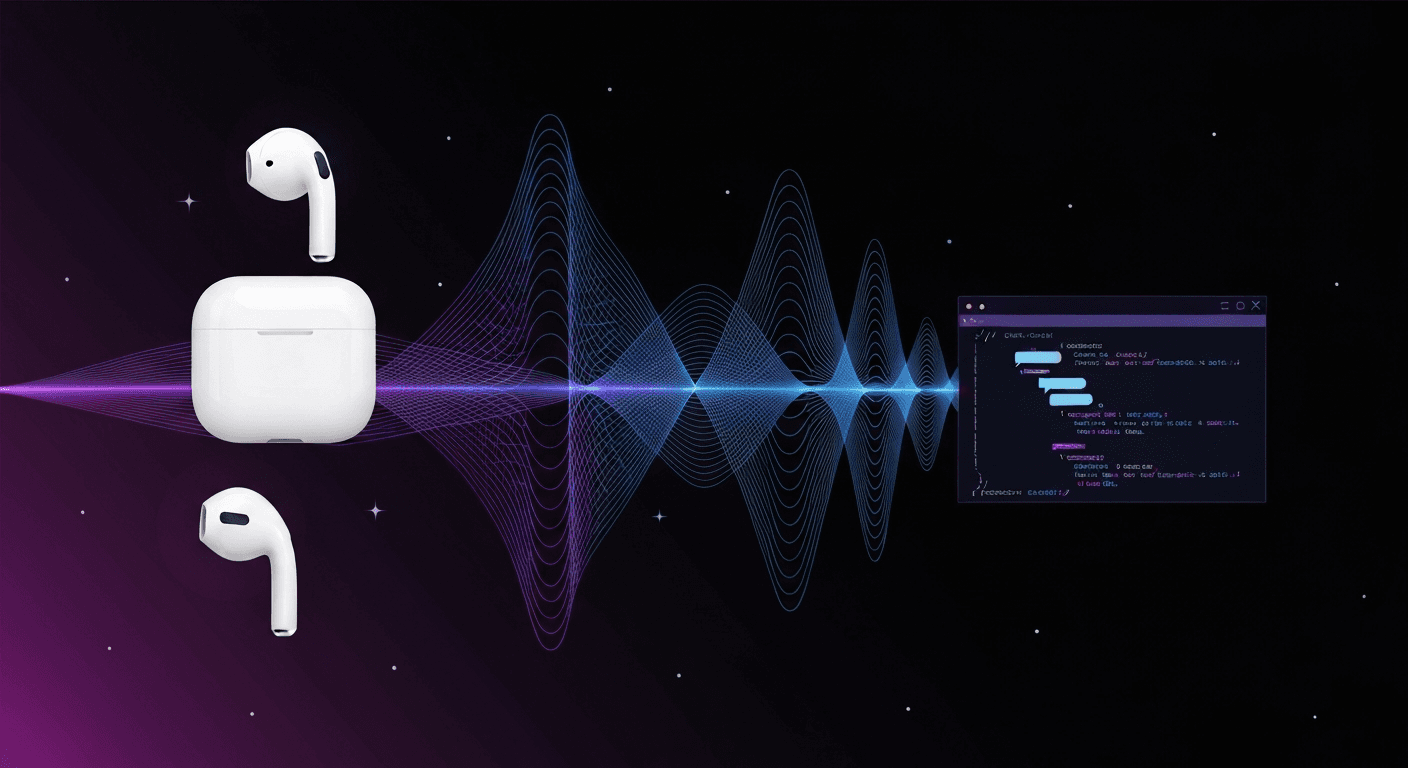
You've got an AI agent running somewhere — maybe it's a local LLM, maybe it's an agent with memory and tools, maybe it's just an OpenAI wrapper. You talk to it by typing. In a browser. Like an animal.
What if you could just say "Siri, talk to my agent" while walking around with AirPods in? Phone locked, hands-free, full conversation?
Turns out it's about 50 lines of JavaScript and 45 minutes of your time.
the architecture
Five pieces. One is a Siri Shortcut. One is 50 lines of code. The rest you probably already have.
- Siri Shortcut — speech-to-text on your iPhone
- Voice API — tiny Node.js server that glues everything together
- Your AI agent — any OpenAI-compatible chat completions endpoint
- Edge TTS — free text-to-speech (324 voices, zero cost)
- Cloudflare Tunnel — free HTTPS exposure for your server
1. the siri shortcut
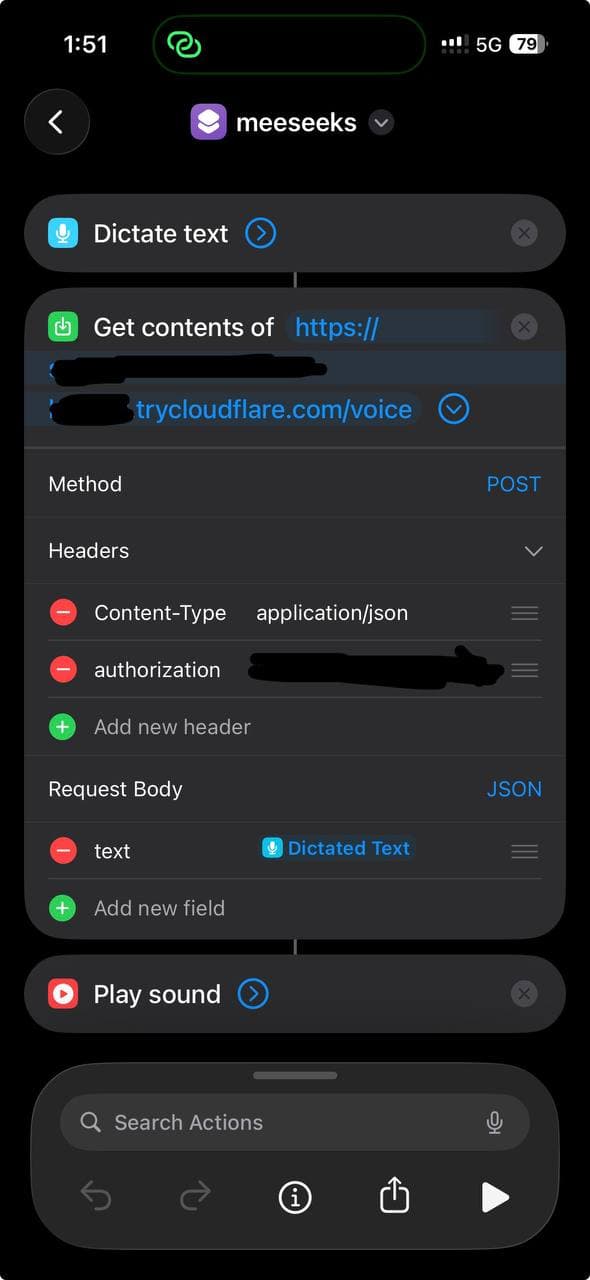
Create a new Shortcut on your iPhone with three actions:
- Dictate Text — Siri listens and transcribes
- Get Contents of URL — POST the text to your voice API
- Play Sound — play the MP3 response
Configure the URL action:
- Method: POST
- Headers:
Content-Type: application/jsonAuthorization: Bearer your-secret-token
- Body (JSON):
text: Dictated Text (the magic variable from step 1)
Name it whatever you want. "Assistant", "Jarvis", "Computer" — then trigger it with "Siri, [name]".
Here's what it looks like:
Works with phone locked. Works with AirPods. Works while walking the dog.
2. the voice API
This is the entire server:
const express = require('express');const { execSync } = require('child_process');const fs = require('fs');const app = express();app.use(express.json());const AUTH_TOKEN = process.env.AUTH_TOKEN || 'your-secret-token';const AI_URL = process.env.AI_URL || 'https://api.openai.com/v1/chat/completions';const AI_TOKEN = process.env.AI_TOKEN || 'your-ai-api-key';const AI_MODEL = process.env.AI_MODEL || 'gpt-4o';const TTS_VOICE = process.env.TTS_VOICE || 'en-US-AndrewNeural';app.post('/voice', async (req, res) => {try {const token = (req.headers['authorization'] || '').replace('Bearer ', '').trim();if (token !== AUTH_TOKEN)return res.status(401).json({ error: 'unauthorized' });const text = req.body?.text;if (!text)return res.status(400).json({ error: 'no text' });// 1. Ask your AI agentconst r = await fetch(AI_URL, {method: 'POST',headers: {'Content-Type': 'application/json','Authorization': 'Bearer ' + AI_TOKEN,},body: JSON.stringify({model: AI_MODEL,max_tokens: 300,user: 'voice-user', // persistent session across callsmessages: [{role: 'system',content: 'User is speaking via voice. Keep responses '+ 'SHORT (2-3 sentences). Spoken aloud. '+ 'No markdown, bullets, code, or URLs.'},{ role: 'user', content: text }],}),});const data = await r.json();let reply = data.choices?.[0]?.message?.content || 'No response.';// 2. Convert to speech (free!)const tmp = '/tmp/voice-' + Date.now() + '.mp3';execSync(`edge-tts --voice ${TTS_VOICE} ` +`--text '${reply.replace(/'/g, "'\\''")}' ` +`--write-media ${tmp} 2>/dev/null`,{ timeout: 15000 });const audio = fs.readFileSync(tmp);fs.unlinkSync(tmp);res.set('Content-Type', 'audio/mpeg');res.send(audio);} catch (err) {if (!res.headersSent)res.status(500).json({ error: err.message });}});app.get('/health', (req, res) => res.json({ ok: true }));app.listen(3456, () => console.log('Voice API on :3456'));
Install deps and run:
npm init -ynpm install expresspip install edge-ttsnode server.js
That's it. The API receives text, asks your AI agent, converts the response to speech, and sends back an MP3.
3. your AI agent
The voice API calls any OpenAI-compatible /v1/chat/completions endpoint. That means it works with:
- OpenAI directly (
https://api.openai.com/v1/chat/completions) - Local LLMs via Ollama, LM Studio, vLLM, etc. (
http://localhost:11434/v1/chat/completions) - AI agents like OpenClaw, LangServe, or anything exposing the OpenAI format
- Anthropic via a proxy or compatible wrapper
If your AI agent has memory, tools, and persistent sessions — you now have a voice interface to a full agent, not just a chatbot. The user field in the request body gives you session persistence out of the box — your agent remembers previous voice conversations.
Set the environment variables:
export AI_URL="http://localhost:11434/v1/chat/completions" # ollama exampleexport AI_TOKEN="not-needed-for-local"export AI_MODEL="llama3"
the system prompt trick
The key to making this work well is the system prompt:
User is speaking via voice. Keep responses SHORT (2-3 sentences).Spoken aloud. No markdown, bullets, code, or URLs.
Without this, your AI agent will respond with formatting, code blocks, bullet points — all of which sound terrible through TTS. This prompt forces conversational mode while keeping all capabilities intact.
4. edge TTS — the free voice
Edge TTS is Microsoft's text-to-speech engine from Edge browser's "Read Aloud" feature. It's free, it has 324 voices, and the quality is genuinely good.
pip install edge-tts# list all voicesedge-tts --list-voices# generate speechedge-tts --voice en-US-AndrewNeural \--text "Hello from your AI assistant" \--write-media output.mp3
Some good voices to try:
en-US-AndrewNeural— natural, conversational (my default)en-US-JennyNeural— clear, professionalen-GB-SoniaNeural— British, warmzh-CN-XiaoxiaoNeural— Chinese Mandarinde-DE-ConradNeural— German
Free. Fast. No API keys. No quotas. Compared to OpenAI TTS at $15/million characters, this is a no-brainer for a personal project.
5. cloudflare tunnel
Siri Shortcuts need HTTPS. If your server doesn't have it, Cloudflare Quick Tunnels give you a public URL in one command:
# installcurl -L https://github.com/cloudflare/cloudflared/releases/latest/download/cloudflared-linux-amd64 \-o /usr/local/bin/cloudflaredchmod +x /usr/local/bin/cloudflared# runcloudflared tunnel --url http://localhost:3456
You'll get a URL like https://random-words.trycloudflare.com. Put that in your Siri Shortcut as https://random-words.trycloudflare.com/voice.
Quick tunnels are free but ephemeral — the URL changes when you restart. For a permanent setup, use a named tunnel with your own domain.
total cost
Everything except the AI itself is free:
- Siri Shortcut — free
- Voice API — free (Node.js)
- Edge TTS — free (324 voices, no API key)
- Cloudflare Tunnel — free
- Your AI agent — depends (local LLM = free, OpenAI = token costs only)
No TTS costs. No speech-to-text costs. Siri handles transcription, Edge TTS handles speech. You only pay for the chat completion tokens — if that.
latency
Typical end-to-end: 3-5 seconds from finishing your sentence to hearing the response.
- Siri transcription: ~500ms
- Network to server: ~200ms
- AI response: ~1-2s (varies by model)
- Edge TTS generation: ~500ms
- Network back + audio start: ~200ms
Fast enough to feel like a conversation. Not fast enough to interrupt each other. That's probably fine.
openclaw quickstart
If you're running OpenClaw, here's the copy-paste setup. OpenClaw exposes an OpenAI-compatible endpoint on your gateway, so the voice API talks directly to your agent — with full memory, tools, and session context.
1. Enable the chat completions endpoint:
openclaw config patch '{"http": {"endpoints": {"chatCompletions": { "enabled": true }}}}'
2. Get your gateway token:
cat ~/.openclaw/gateway.json | jq -r '.auth.bearerTokens[0]'
3. Set your environment variables:
export AI_URL="http://127.0.0.1:18789/v1/chat/completions"export AI_TOKEN="your-gateway-bearer-token"export AI_MODEL="openclaw:main"export AUTH_TOKEN="pick-a-secret-for-siri"export TTS_VOICE="en-US-AndrewNeural"
4. Run the voice server + tunnel:
node server.js &cloudflared tunnel --url http://localhost:3456
5. Create the Siri Shortcut with the tunnel URL + your auth token.
That's it. You're now talking to your full OpenClaw agent through AirPods — same agent that handles your messages, emails, files, and tools. Not a dumbed-down voice wrapper.
pro tip: action button
If you have an iPhone 15 Pro or later, skip the voice activation entirely. Map your Action Button to the Siri Shortcut:
Settings → Action Button → Shortcut → select your voice shortcut
One press. Dictate. Done. No "Siri, ..." prefix needed. It's the fastest way to trigger this.
making it better
A few upgrades if you want to go further:
- Streaming TTS — chunk the AI output and generate TTS incrementally to cut perceived latency in half
- Named tunnel + custom domain — so your Siri Shortcut URL doesn't break on restart
- Multiple voices — detect language in the response and switch TTS voices automatically (Edge TTS supports 40+ languages)
- Wake word without Siri — run a wake word detector on a Raspberry Pi for always-on listening
the whole thing in a nutshell
"Siri, assistant"→ iPhone transcribes speech→ POST to your server→ Server asks your AI agent→ Agent responds (2-3 sentences)→ Edge TTS converts to MP3→ MP3 plays through AirPods← 3-5 seconds total
50 lines of JavaScript. Free TTS. Works with any AI backend. Hands-free, phone locked, AirPods in.
Sometimes the best hacks are the simplest ones.
Stay Updated
Get notified about new posts on automation, productivity tips, indie hacking, and web3.
No spam, ever. Unsubscribe anytime.